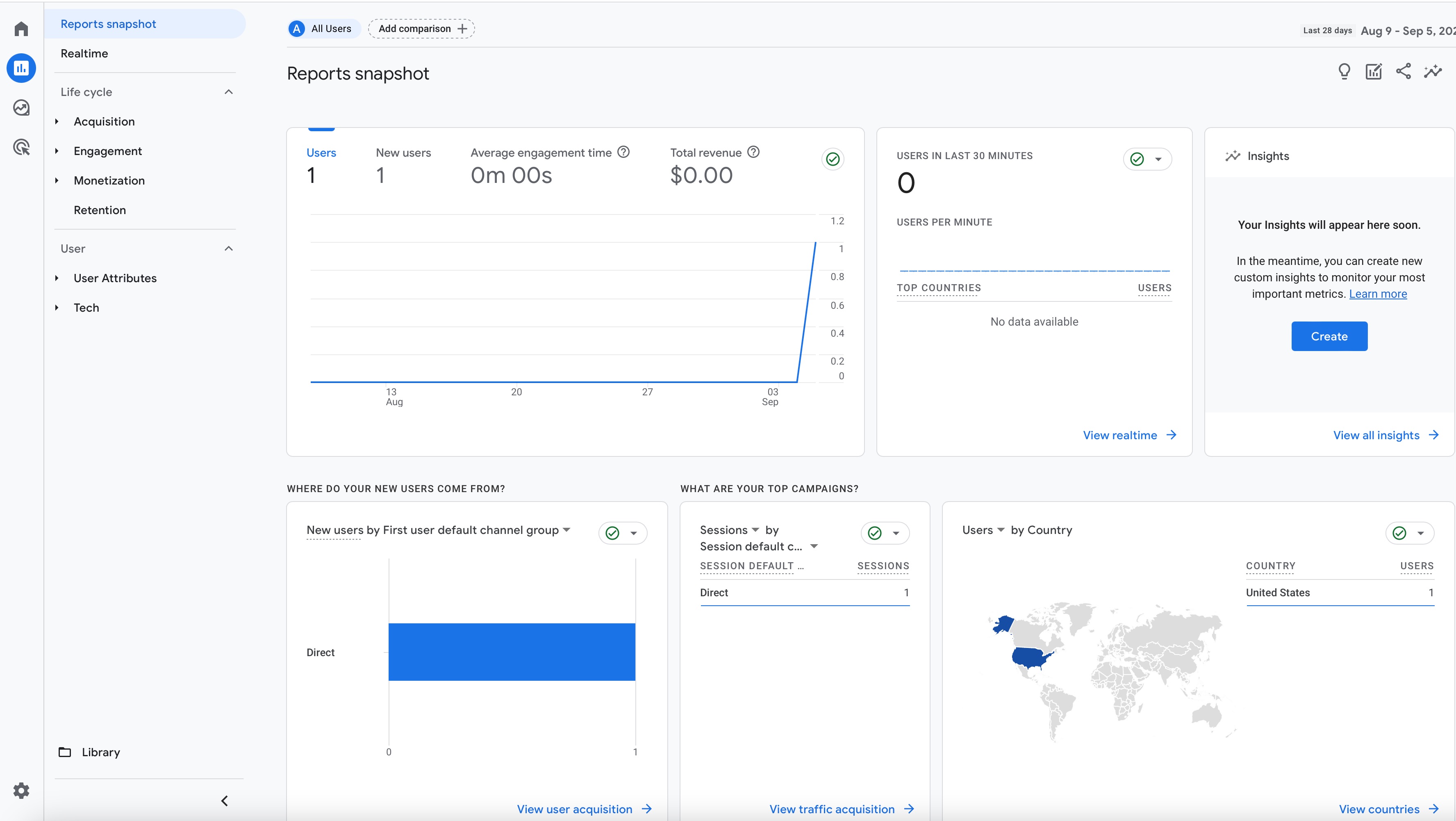
Google Analytics provides a way to track how many users visited your site, how long they stayed on the site, where they are from, what buttons they clicked, and other information. This can be very helpful in analyzing your audience.
- Sign in to your Google Analytics account.
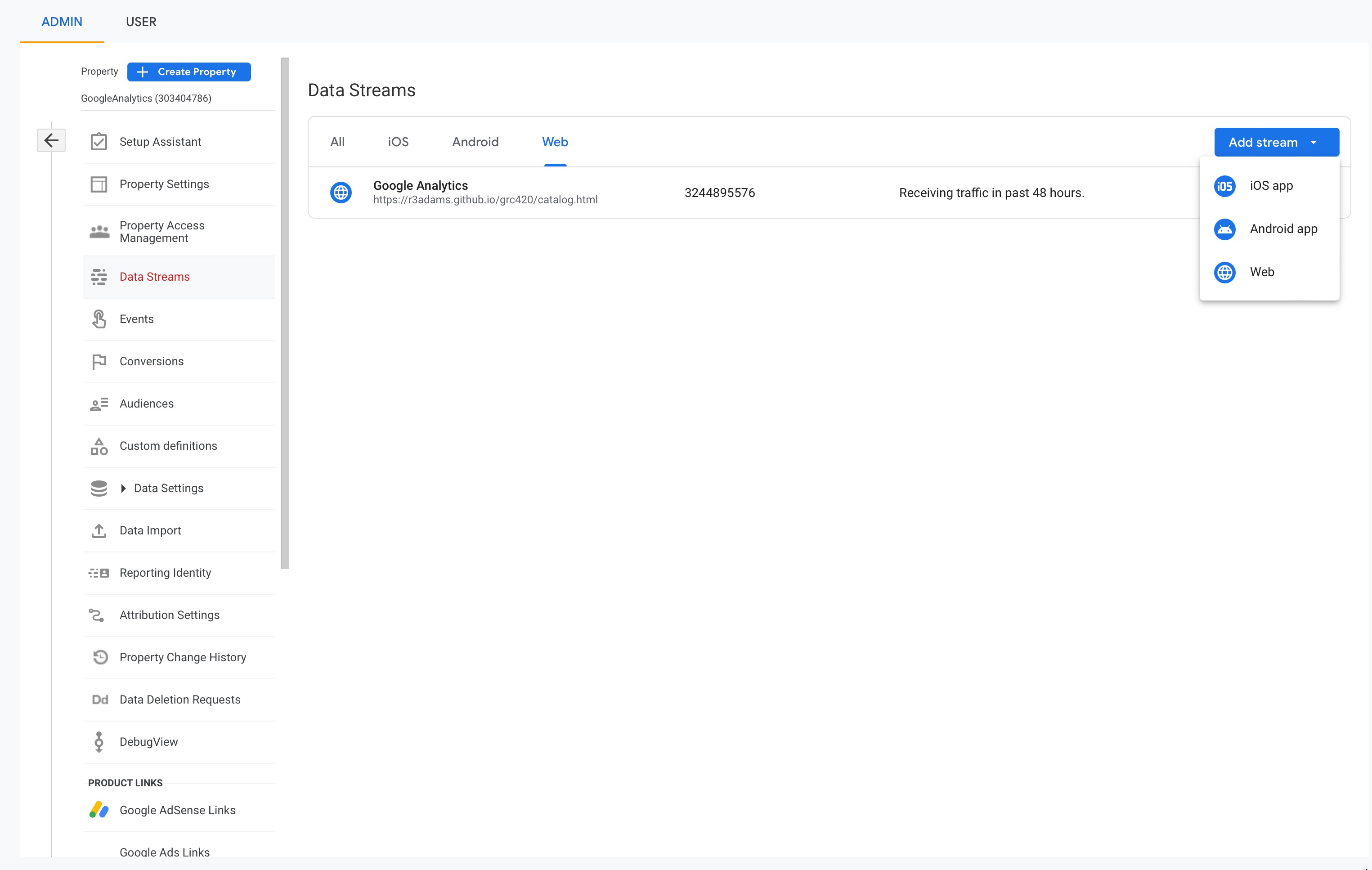
- Click Admin.
- At the top of the Property column, select your property.
- In the Property column, click Data streams > Web.
- Click the data stream for your website.
- Under Google tag, click View tag instructions.
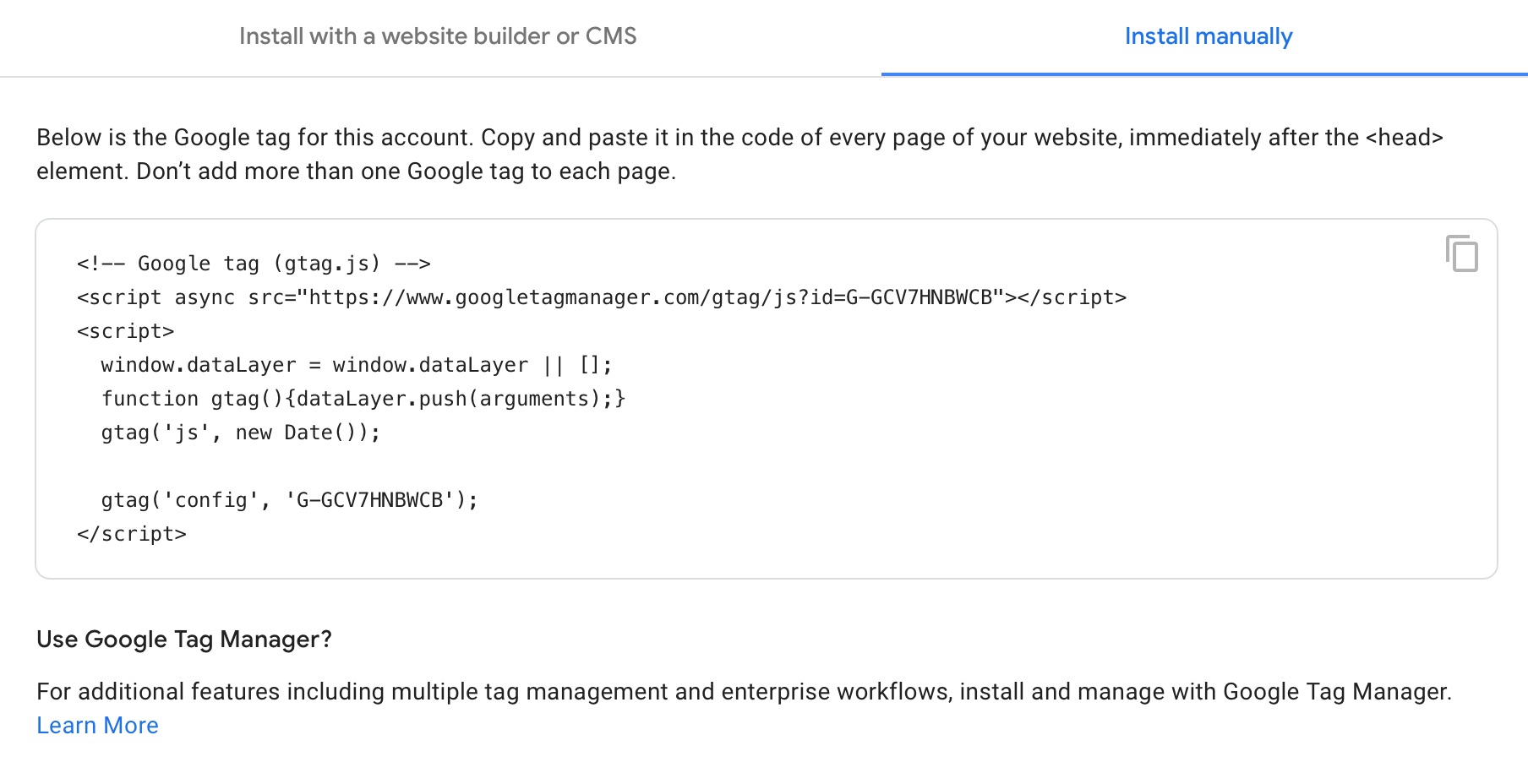
- On the Installation instructions page, select Install manually.
- On the screen, you’ll see the JavaScript snippet for your account's Google tag. Your Google tag is the entire section of code that appears.
- Copy the code into the head of your web page.