ePub is an open standard for eBooks based on XHTML, meaning they are essentially encapsulated web pages. ePubs are easy to create in InDesign and have specific requirements.
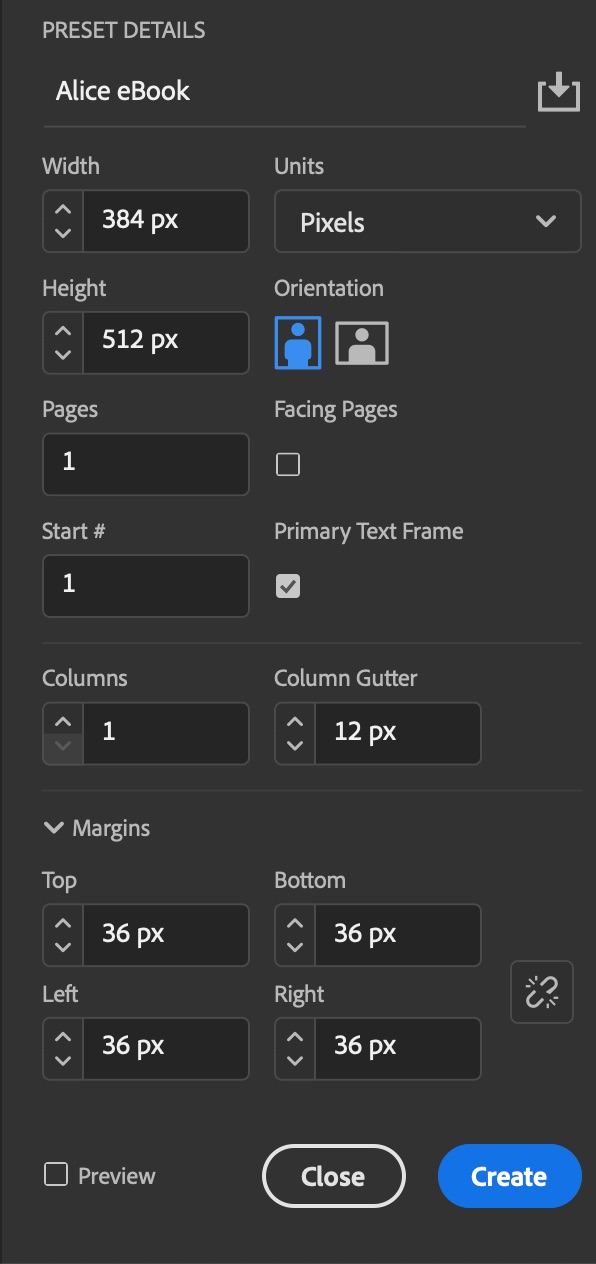
- In InDesign, create a new document with:
- Size 384 × 512px
- Uncheck Facing Pages
- Check Primary Text Frame
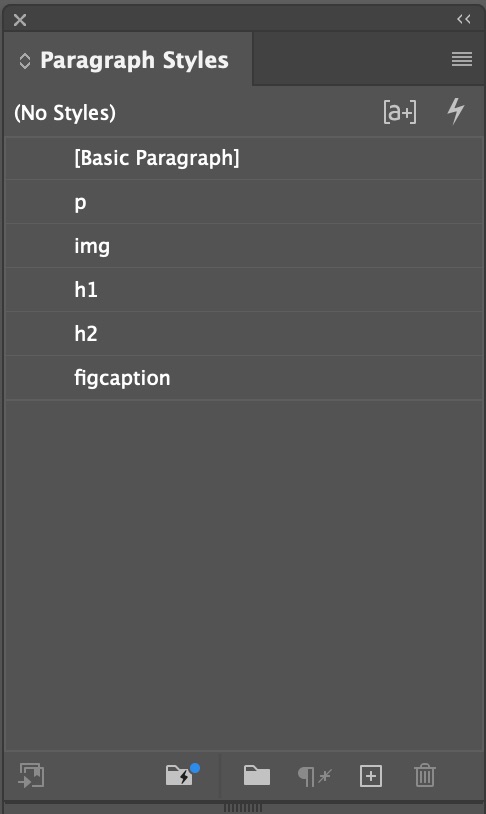
- All text must be styled. Create Paragraph Styles for body text, images, and at least one heading.
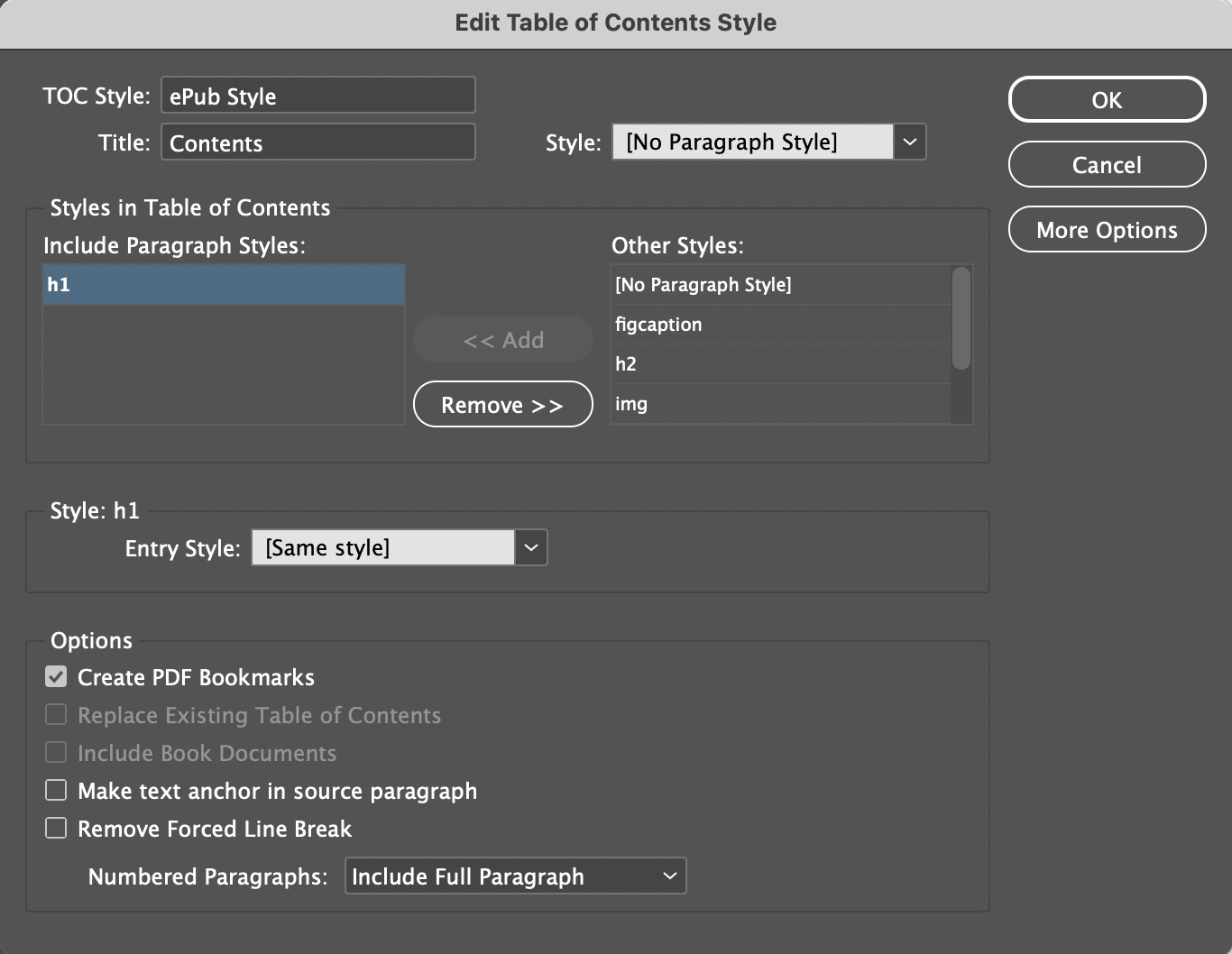
- Set up an automatic table of contents (TOC) style (Layout > Table of Contents Style) with the headings in it. Do not generate text for the TOC; the style will be picked up by the eBook reader.
- Import the text from a Word or text file. Ideally the text should have styles predefined in Word, which can be mapped to your InDesign Styles.
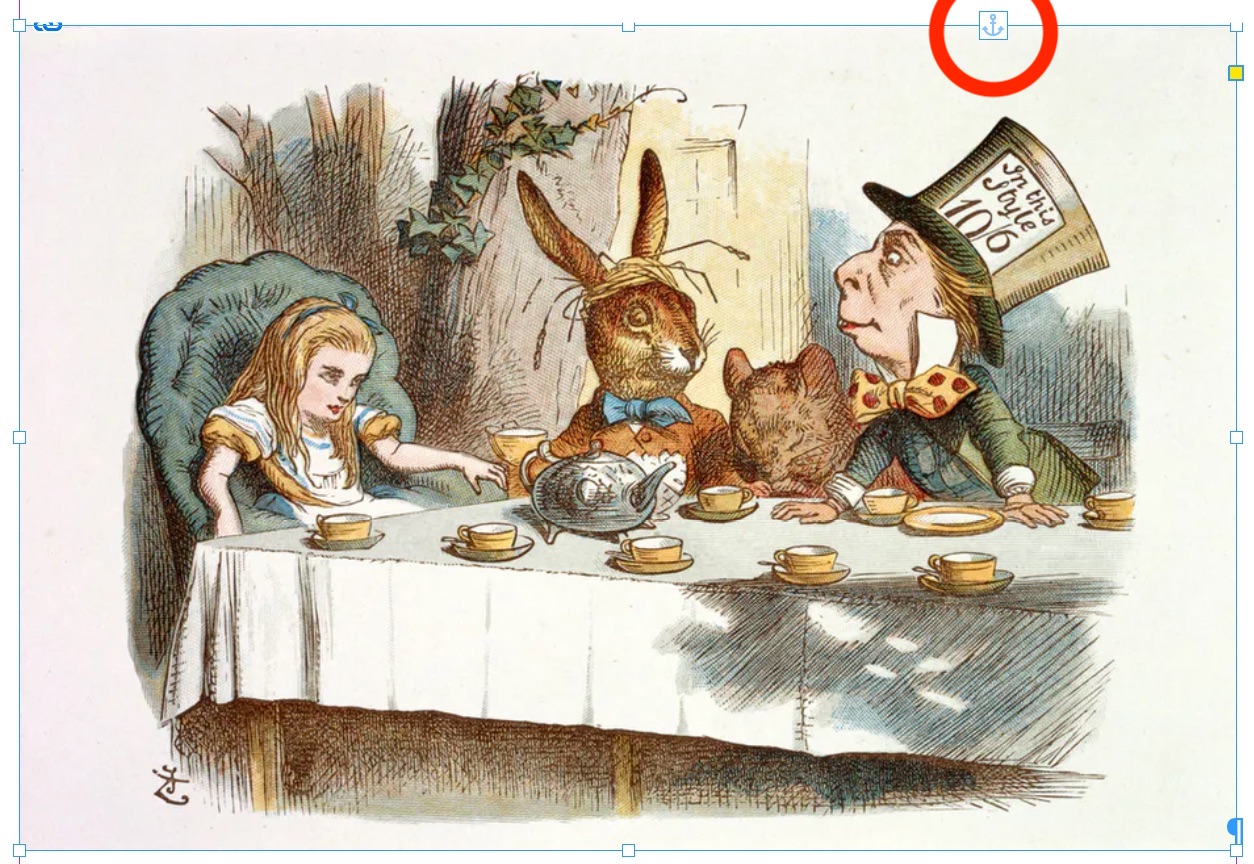
- Draw picture boxes with the desired width of your images, then place the images. Select Object > Fitting > Size Content Proportionally, then Size Box to Content. Cut each image to the Clipboard, then place inline in the text using the Text or I-beam tool. Note the anchor icon at the upper right of the image, showing it is inline.
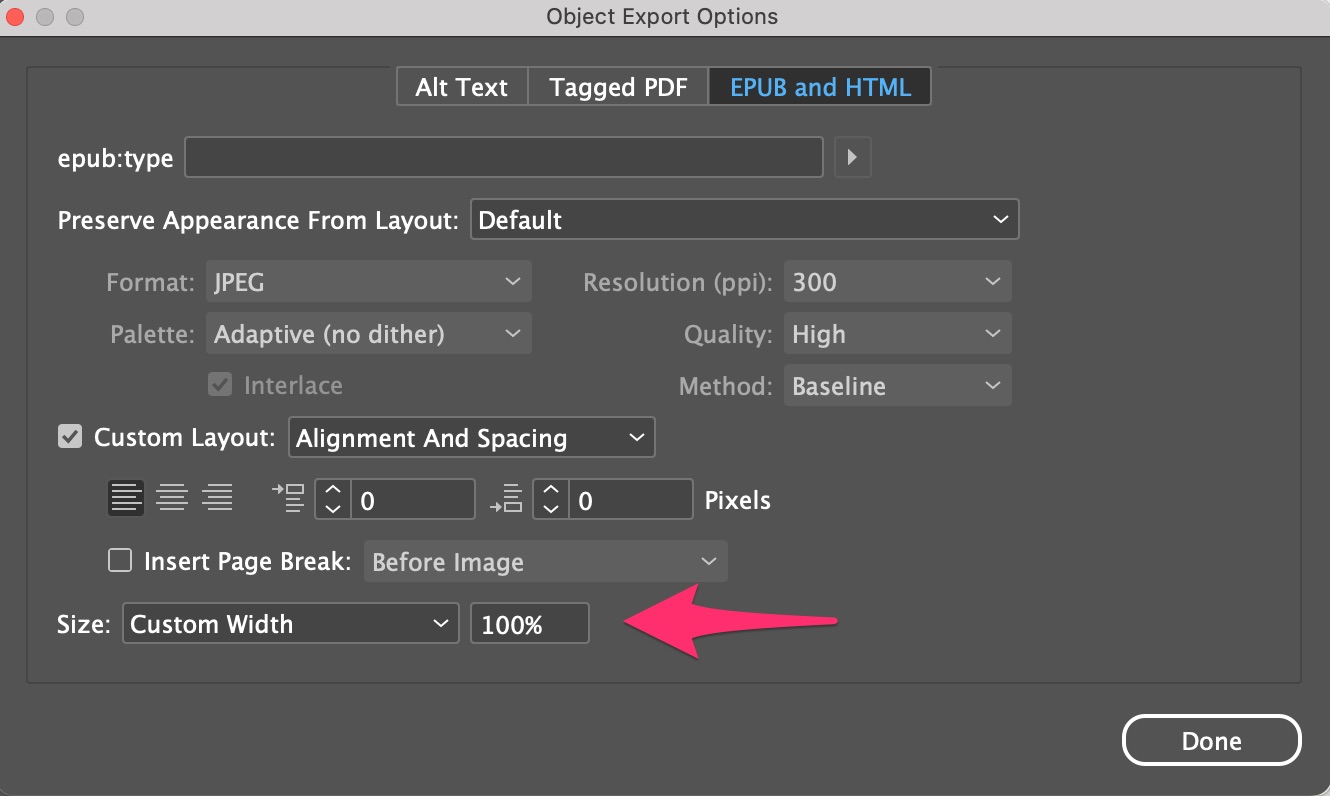
- InDesign will shrink your images on output. For full-width images, right-click and select Object Export Options. Set the Size to Custom Width 100%.
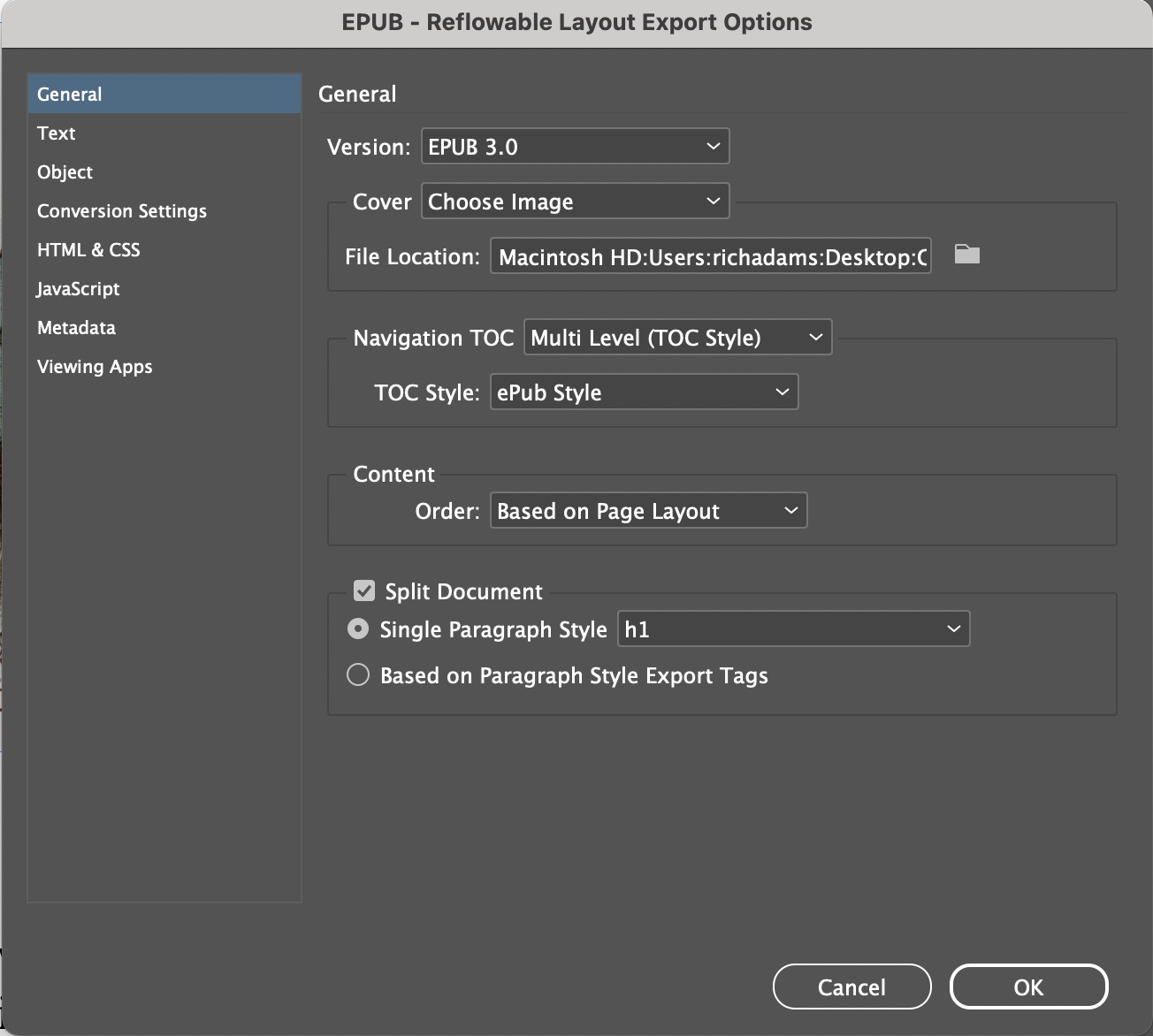
- When ready to export your ePub, select File > Export > ePub-Reflowable, specifying your cover graphic, TOC Style, and chapter split options.
Related Skills
- Editing an ePub in Sigil to create special effects
- Amazon AZW layout in Kindle Create
- Creating interactive PDF in InDesign